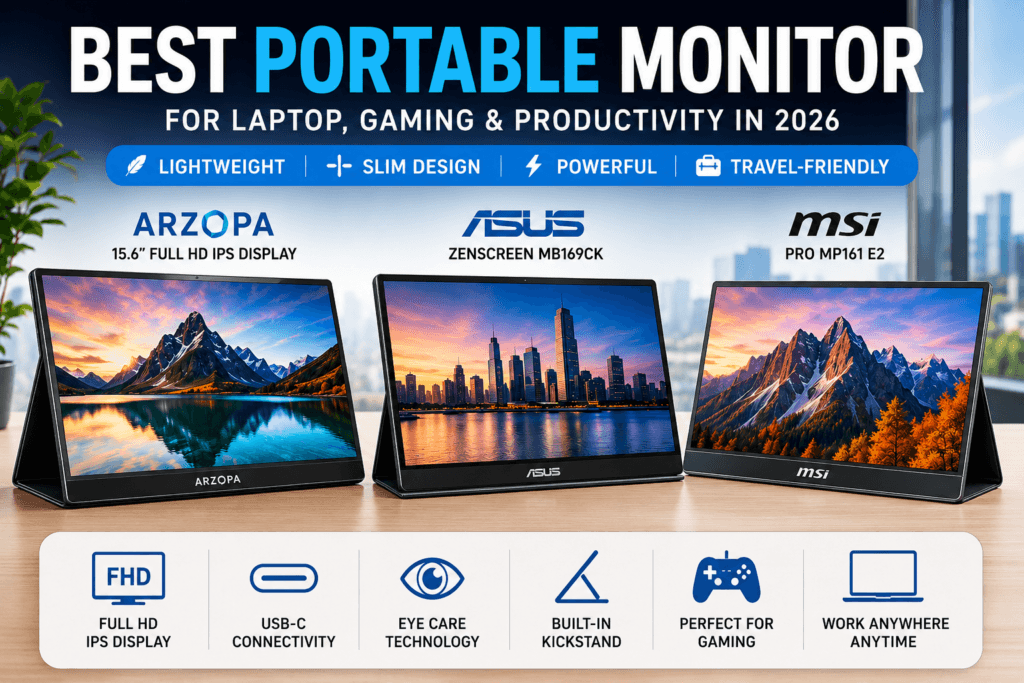
In today’s flexible work environment, having extra screen space can significantly improve productivity. Whether you’re a remote worker, student, business traveler, or gamer, a portable monitor provides a convenient way to expand your display without carrying bulky equipment.
Modern travel-friendly displays are thinner, lighter, and more powerful than ever before. Most models offer Full HD resolution, USB-C connectivity, and compatibility with laptops, gaming consoles, tablets, and smartphones.
If you’re planning to buy an additional screen in 2026, here are some of the best options available in India.
Why a Portable Monitor is Worth Buying
A portable monitor helps users expand their screen space without carrying a bulky desktop display. Whether you work remotely or travel frequently, a portable monitor can improve productivity and multitasking.
Why Choose a Portable Monitor?
A second display can help you work more efficiently by allowing you to view multiple applications simultaneously.
Key benefits include:
- Improved multitasking
- Better productivity for office work
- Easier content creation and editing
- Convenient setup for business travel
- Enhanced gaming experience
- Compatibility with various devices
For professionals who frequently work on the go, an external display can make a significant difference in daily workflow.
Best Portable Monitor Options in India
1. Arzopa 15.6-inch Full HD Display
The Arzopa 15.6-inch model has become a popular choice among users looking for an affordable and versatile secondary screen.
Key Features
- 15.6-inch Full HD IPS panel
- USB-C connectivity
- Mini HDMI support
- Integrated kickstand
- Lightweight design
Pros
- Excellent value for money
- Good color reproduction
- Easy setup process
- Suitable for work and entertainment
Cons
- Average built-in speakers
- Outdoor visibility could be improved
Best For
Students, remote workers, and budget-conscious buyers who need reliable dual-screen functionality.
2. ASUS ZenScreen MB169CK
The ASUS ZenScreen series is well known for its premium build quality and portability. This model is designed for professionals who need a dependable display during travel.
Key Features
- Slim and lightweight construction
- USB-powered operation
- Eye Care technology
- Auto screen orientation
- Full HD resolution
Pros
- Trusted brand reputation
- Comfortable for long working sessions
- Easy to carry
- Durable design
Cons
- Higher price compared to some competitors
Best For
Business users, freelancers, and frequent travelers.
3. MSI PRO MP161 E2
MSI’s PRO MP161 E2 focuses on productivity and viewing comfort, making it a strong option for office work and multimedia use.
Key Features
- 15.6-inch IPS display
- Full HD resolution
- Eye-friendly technology
- Built-in speakers
- Multiple connectivity options
Pros
- Sharp image quality
- Comfortable viewing experience
- Professional design
- Good brand support
Cons
- Slightly more expensive than entry-level models
Best For
Professionals, content creators, and users who spend extended hours in front of a screen.
Features to Consider Before Buying
Choosing the right model requires understanding the features that matter most.
Display Size
Most travel displays are available in:
- 14-inch
- 15.6-inch
- 16-inch
For most users, a 15.6-inch screen offers the ideal balance between usability and portability.
Resolution
At minimum, look for:
- Full HD (1920 × 1080)
Premium options may offer:
- 2K resolution
- 4K resolution
- OLED technology
Higher resolutions provide sharper images, especially for creative work.
Connectivity Options
Modern displays typically include:
- USB-C
- HDMI or Mini HDMI
- Audio output
USB-C connectivity is particularly useful because it can transmit both power and video through a single cable.
Panel Technology
IPS panels are generally recommended because they provide:
- Better viewing angles
- More accurate colors
- Improved image consistency
Portability
When comparing products, consider:
- Weight
- Thickness
- Protective cover
- Built-in stand
These features can make a noticeable difference during travel.
Best Use Cases
Remote Work
An extra screen helps professionals manage emails, spreadsheets, video calls, and documents simultaneously.
Content Creation
Designers, editors, and creators can use a secondary display for tool panels, timelines, and previews.
Programming
Developers often benefit from additional workspace for code editors, documentation, and debugging tools.
Gaming
Many gamers connect external displays to:
- PlayStation 5
- Xbox Series X
- Nintendo Switch
- Steam Deck
This creates a larger and more comfortable gaming setup while traveling.
Who Should Buy One?
A portable monitor is ideal for:
- Remote employees
- Students
- Digital nomads
- Business travelers
- Gamers
- Content creators
- Programmers
Anyone who needs extra screen space without sacrificing mobility can benefit from adding one to their setup.
Final Verdict
Finding the right portable monitor depends on your budget and intended use.
- Arzopa 15.6-inch Full HD Display offers excellent value and is ideal for most users.
- ASUS ZenScreen MB169CK delivers premium portability and professional features.
- MSI PRO MP161 E2 provides strong productivity-focused performance with excellent display quality.
For most buyers, the Arzopa model strikes the best balance between affordability, image quality, and portability. Those looking for a more premium experience may prefer ASUS or MSI.
As remote work and mobile productivity continue to grow, investing in a high-quality secondary display can improve efficiency, entertainment, and overall convenience wherever you work.